Hey friend, you know that moment when you sit down to write a blog post, stare at the blank screen, and feel your motivation drain away? Your ideas are there, but turning them into clear, engaging content takes forever. I’ve been there juggling client work, SEO tweaks, and trying to sound natural all at once.
That’s exactly why AI writing tools have become my daily sidekick. They handle the heavy lifting on drafts, outlines, and even headlines, so I can focus on adding my voice and real insights.
In this post, I’ll walk you through the best AI writing tools for bloggers in 2026. I’ll share what I actually use after testing them on real blog projects, what to watch for when picking one, and honest recommendations tailored for beginners and intermediate folks like us who just want to save time without losing quality.
What to Look for in AI Writing Tools
When you’re choosing AI writing tools, keep it simple. First, ease of use matters most for bloggers who aren’t tech wizards. You want something with a clean interface that doesn’t require a manual to get started.
Next, content quality is key—does it produce readable text that sounds somewhat human, or does it spit out robotic fluff? Check for good SEO features like keyword suggestions or readability scores. And obviously, pricing should fit a small blog budget without hidden surprises. I always test the free tiers first to see if the tool clicks with my workflow.
Top 7 AI Writing Tools
Here are my hands-on reviews of the exact tools you need to know about right now.
Read more: Best AI Personal Assistants in 2026: Smarter Than Ever!
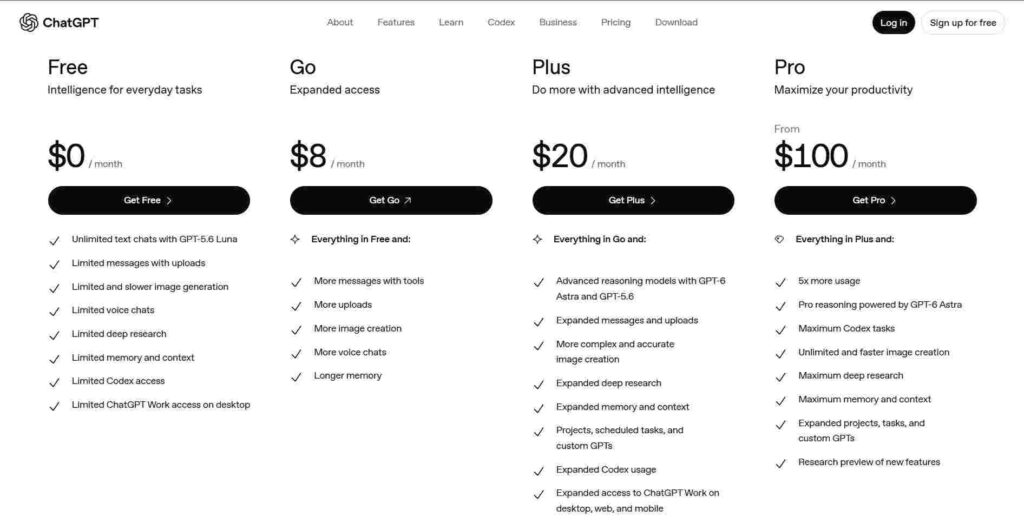
ChatGPT
One line description: OpenAI’s versatile chatbot that’s great for on-demand writing help.
Best for: Bloggers who want flexible, conversational brainstorming and drafting without extra tools.
Key Features:
- Long-context memory for keeping your blog style consistent across sessions
- Built-in image generation and data analysis for richer posts
- Custom GPTs you can build for your niche
- Voice mode for quick idea capture on mobile
Pricing: Free plan available; Plus at $20/month.
Pros:
- Incredibly fast and responsive for quick tasks like outlines or rewrites
- Handles research-style prompts well and improves with good instructions
- Huge community sharing prompts that work great for blogging
Cons:
- Can sound generic if you don’t guide it carefully
- Free version has usage limits that hit during busy writing days
My Verdict: ChatGPT is still my go-to for daily blogging because it’s like having a smart writing buddy who’s always available. I use it most for first drafts and idea generation. If you’re on a budget, start here and upgrade only when you need more power. I’ve saved hours every week with it.
Claude
One line description: Anthropic’s thoughtful AI focused on helpful, detailed responses.
Best for: Writers who prioritize clear, well-structured long-form content.
Key Features:
- Excellent at following complex instructions for blog structures
- Strong reasoning for creating logical arguments and comparisons
- Projects feature to organize multiple related pieces
- Artifacts for building outlines or tables interactively
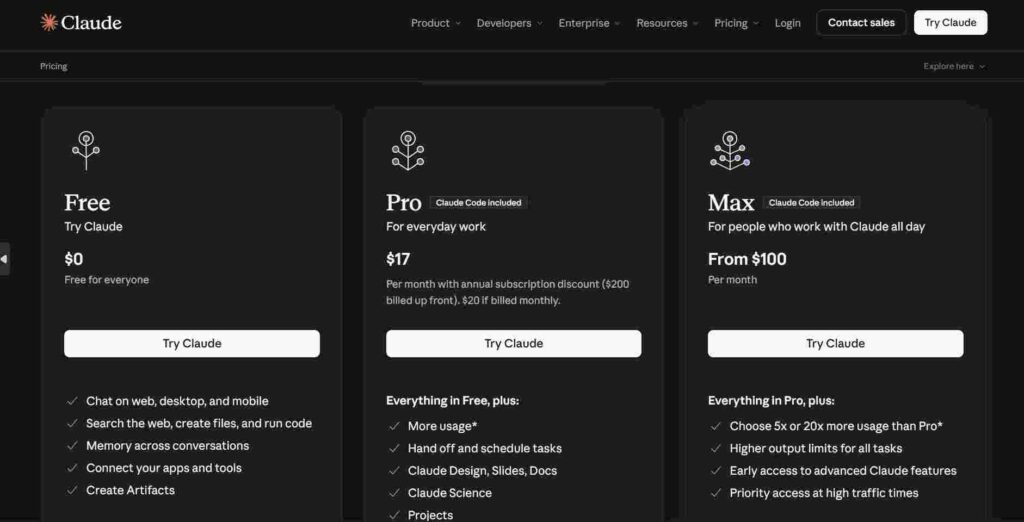
Pricing: Free tier; Pro at $17/month.
Pros:
- Produces some of the most natural-sounding long content I’ve seen
- Very good at avoiding hallucinations when you give it sources
- Great for editing and improving existing drafts
Cons:
- Sometimes overly cautious and refuses certain creative prompts
- Interface feels a bit more formal than ChatGPT
My Verdict: Claude has become my favorite for final polishing and longer guides. It just “gets” what makes a blog post flow well. If you write in-depth pieces, give the Pro plan a try—you’ll notice the difference in coherence right away. The $20 price feels fair for what you get.
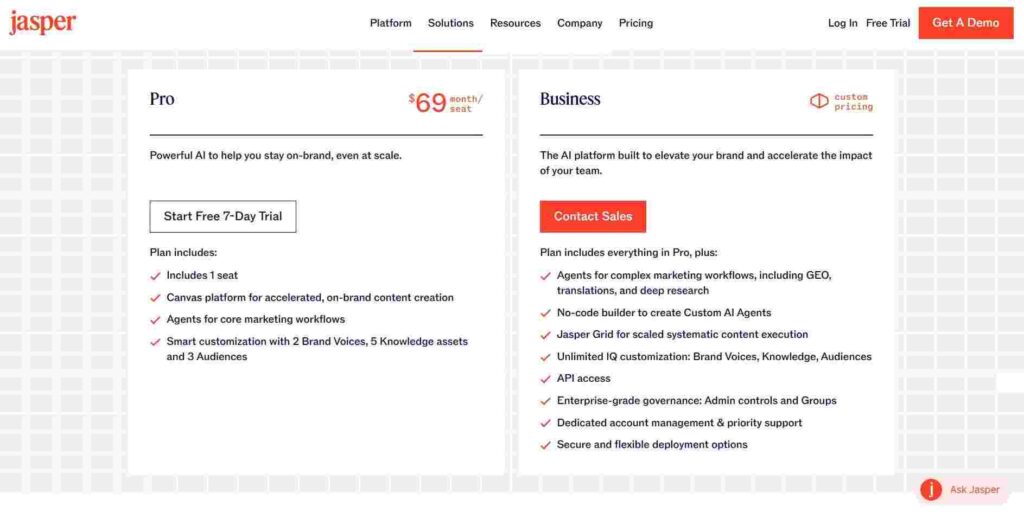
Jasper
One line description: Marketing-focused AI platform built for consistent brand voice.
Best for: Bloggers who also handle social media and need brand consistency.
Key Features:
- Brand voice training for matching your style
- SEO-optimized templates and workflows
- Content calendar and campaign planning tools
- Team collaboration features
Pricing: Creator plan starts around $69/month (billed annually often lower).
Pros:
- Strong templates specifically for blog posts and SEO content
- Good at maintaining consistent tone across many pieces
- Built-in plagiarism and quality checks
Cons:
- More expensive than general-purpose tools
- Can feel overwhelming with all the marketing-focused options
My Verdict: Jasper shines if you’re growing a blog into a real brand presence. I like its workflow once you set up your voice properly. It’s worth the price if you write frequently for business purposes, but skip it if you’re purely hobby-level.

Read more:Best AI Business Ideas You Can Start Now: Turn Tech Into Income in 2025
Writesonic
One line description: Fast AI writer with strong SEO and e-commerce focus.
Best for: Bloggers who want quick SEO articles and landing pages.
Key Features:
- AI SEO tools and keyword research integration
- Photo-realistic image generation
- ChatSonic for conversational writing
- Bulk generation options
Pricing: Starter plan at $99/month.
Pros:
- Very fast at generating complete articles
- Solid built-in SEO suggestions that actually help rankings
- Handles higher volume needs well once you’re scaled
Cons:
- Higher entry price than many alternatives
- Output sometimes needs more heavy editing than Claude
My Verdict: Writesonic is powerful when you need to pump out SEO content efficiently. I’ve used it successfully for keyword-targeted posts. The speed makes it great for batch writing days, though I always edit heavily for personality. At $99, make sure your volume justifies it.
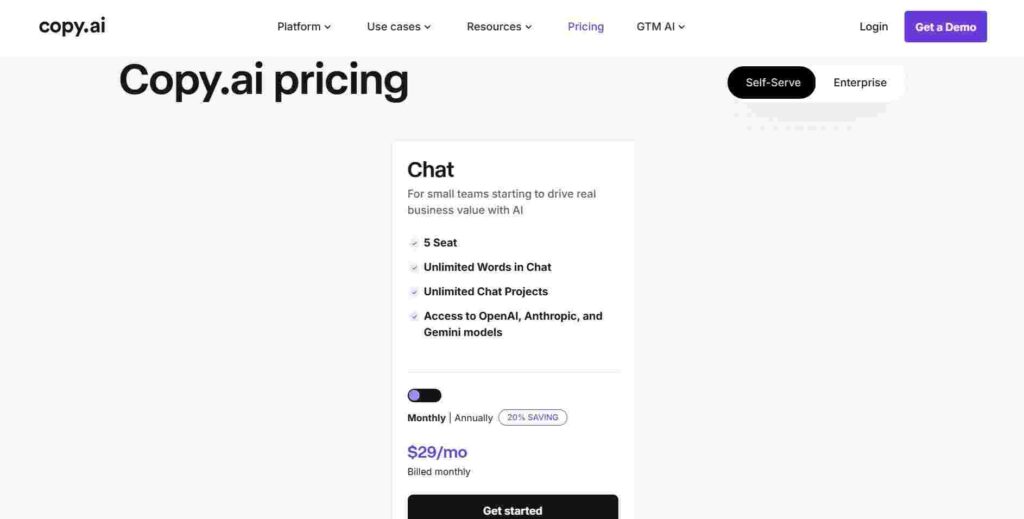
Copy.ai
One line description: Workflow-oriented AI for marketing and sales copy.
Best for: Bloggers who create a mix of articles and promotional content.
Key Features:
- Workflow automation for repetitive tasks
- Strong headline and intro generators
- Integration with other tools
- Tone adjustment controls
Pricing: Chat Plan at $29/month.
Pros:
- Excellent for catchy headlines and calls-to-action
- Good collaboration tools if you work with editors
- Regularly updated with new features
Cons:
- Less strong on very long-form blog posts
- Credit system can feel restrictive at times
My Verdict: Copy.ai works well for the promotional side of blogging. I use it when I need punchy introductions or email sequences tied to posts. At $29, it’s one of the more accessible options for mixed content creators.
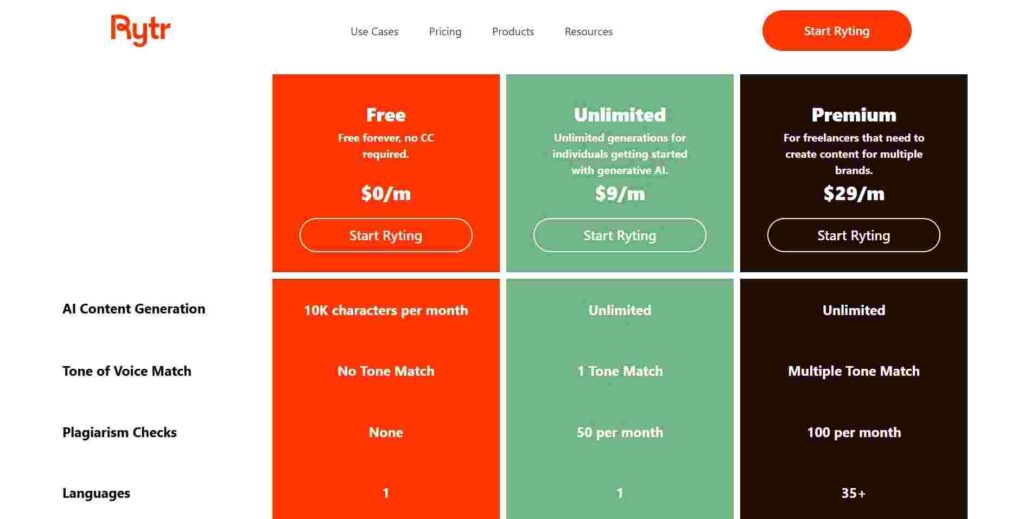
Rytr
One line description: Simple, no-frills AI writer for quick content creation.
Best for: Beginners who want something straightforward and cheap.
Key Features:
- 40+ use cases and templates
- Multiple tone options
- Plagiarism checker
- Chrome extension for quick access
Pricing: Free limited plan; Unlimited at $9/month.
Pros:
- Super affordable and easy to jump into
- Fast for short-form and social content
- Clean, simple interface
Cons:
- Quality varies more than premium tools
- Limited depth for complex topics
My Verdict: Rytr is my recommendation when someone asks for the cheapest way to start using AI writing tools. It’s perfect for testing the waters or handling smaller tasks. Don’t expect perfection, but it delivers solid value for the $9 Unlimited plan.
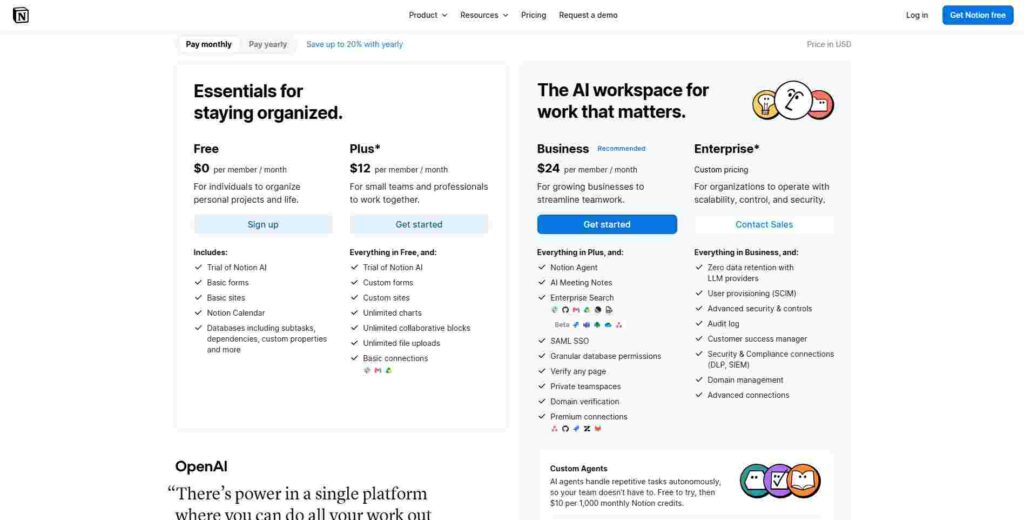
Notion AI
One line description: AI built right into the Notion workspace.
Best for: Bloggers who already organize everything in Notion.
Key Features:
- Writing assistance directly in your notes and databases
- Summarization and brainstorming inside pages
- Database automation
- Seamless with your existing content organization
Pricing: Add-on around $12/member/month (Plus plan).
Pros:
- No context switching if you’re already a Notion user
- Great for organizing research and outlines
- Improves as your workspace grows with knowledge
Cons:
- Less powerful than dedicated writing AIs for pure generation
- Requires Notion subscription for full access
My Verdict: If you live in Notion like I do for planning posts, this is a no-brainer addition. It turns your workspace into a smart writing environment. I love drafting directly where my ideas already live.
Comparison Table
| Tool Name | Best For | Free Plan | Starting Price | Overall Rating |
|---|---|---|---|---|
| ChatGPT | Versatile drafting | Yes | $20/mo (Plus) | 4.8/5 |
| Claude | Long-form quality | Yes | $17/mo (Pro) | 4.7/5 |
| Jasper | Brand consistency | Limited | $69/mo | 4.3/5 |
| Writesonic | SEO content | Limited | $99/mo | 4.2/5 |
| Copy.ai | Promotional writing | Limited | $29/mo | 4.4/5 |
| Rytr | Budget beginners | Yes | $9/mo | 4.1/5 |
| Notion AI | Notion users | Limited | $12/mo add-on | 4.0/5 |
Read more: Top 10 AI Tools for Content Creation in 2025: Boost Productivity & Creativity
Which Tool Should You Choose
For the best free option, start with ChatGPT or Claude’s free tiers. They give you enough to produce real blog content without spending anything.
The best budget option is Rytr’s Unlimited plan at $9/month-it’s genuinely useful without breaking the bank.
If you want the best overall, I’d pick Claude Pro for quality or ChatGPT Plus for versatility. Both deliver reliable results for bloggers.
Best for beginners? Go with Rytr or ChatGPT. They have low learning curves and you can start writing better content immediately. Test a couple and see which feels right for your style.
FAQ Section
What is the best AI writing tool for beginners?
Rytr or ChatGPT’s free version. They offer simple interfaces and plenty of guidance through templates or examples. Start small, experiment with prompts about your niche, and gradually build better instructions as you learn what works. Most beginners see quick wins within the first week.
Are AI writing tools free?
Many have usable free tiers, like ChatGPT, Claude, and Rytr. These are perfect for testing or light use. Paid plans unlock higher limits, better quality, and extra features. I recommend starting free and upgrading only when you hit limits or need more advanced capabilities.
Can Google detect AI written content?
Google doesn’t specifically penalize AI content, but it does reward helpful, high-quality material. If your AI-assisted posts provide real value and sound natural after editing, you’re fine. Always add your personal experiences and edit thoroughly-that’s what separates good blogs from generic ones.
Which AI tool writes the most human-like content?
Claude consistently produces the most natural-sounding text in my tests, especially for longer pieces. ChatGPT comes close with good prompting. The secret isn’t the tool alone—it’s how you edit and infuse your own voice afterward.
Is ChatGPT good for blog writing?
Yes, absolutely. It’s excellent for outlines, research summaries, and first drafts. I use it daily for blogging because of its flexibility. Just remember to review everything carefully and add your unique perspective so it doesn’t feel generic.
Can I use AI writing tools for SEO content?
Definitely. Tools like Writesonic and Jasper have built-in SEO features that help with keywords and structure. Combine them with your own keyword research and always prioritize reader value over stuffing keywords. Many bloggers successfully use AI this way and see good ranking results.
Conclusion
The top performers right now are ChatGPT for everyday use, Claude for quality long-form, and Rytr for budget-friendly starts. My clear final recommendation? Begin with ChatGPT or Claude’s free plans this week. Pick one, write your next three blog posts with it, and see how much time you save.
You don’t need perfect conditions to start-you just need to begin. Your blog (and your schedule) will thank you. Go try one out and let me know how it goes!