I used to finish writing a blog post and feel a little spark of pride. Then the real work started. Copying the text. Formatting headings. Adding images one by one. Checking links. Scheduling the publish time. Sharing it on social. Updating the newsletter. Fixing the same tiny mistakes I always seemed to miss. By the time everything was live, that spark was gone. I just felt tired.
For years I told myself this was “just part of blogging.” I thought every serious creator did it this way. I was wrong. The manual grind was quietly stealing hundreds of hours and slowly killing the reason I started in the first place.
I’m going to walk you through exactly how much time I wasted, why it hurt more than I admitted, the simple automation system that fixed it, and what actually changed once the repetitive work stopped eating my evenings. If you’re a solo blogger or small business owner still doing everything by hand, this is the post I wish someone had written for me three years ago.
What I discovered was manual publishing automation for bloggers isn’t complicated. It’s actually simpler than you think.
The Math That Broke Me
I finally sat down one Sunday and did the ugly math.
Each finished article required about 2.5 hours of pure publishing and distribution work after the writing was done. That included:
- Formatting and pasting into WordPress (25–30 minutes)
- Adding and optimizing images (20 minutes)
- Internal linking and final proofread (15 minutes)
- Scheduling and publishing (10 minutes)
- Creating social posts and scheduling them (30–40 minutes)
- Updating any email list or related pages (20 minutes)
- Double-checking everything live (15 minutes)
Two and a half hours. Every single post.
I published roughly 90–100 posts over three years. At 2.5 hours each, that adds up to more than 225 hours just on publishing. When I factored in the failed attempts, the rewrites of social captions, the times I had to go back and fix broken images or missing meta descriptions, the real number climbed past 500 hours.
Five hundred hours. That’s more than twelve full work weeks. Gone.
The moment that number hit me, I felt sick. I had spent the equivalent of three months of full-time work on tasks that never improved the writing itself. I had been treating publishing like a badge of honor instead of a process that could be simplified. That night I decided the manual way had to end.
Takeaway: If you publish even twice a month, the hours add up faster than you think. Track one full publishing cycle this week and do your own math. The number will surprise you.
Read More : ChatGPT vs Claude vs Gemini: Which AI Assistant is Best in 2026?
Why Manual Publishing Kills Momentum
The time was only half the problem. The bigger cost was what the process did to my energy and consistency.
After finishing a long post I already felt drained. Knowing I still had 2.5 hours of mechanical work waiting made me put it off. Sometimes I waited two or three days. Sometimes a whole week. Momentum died. Readers who expected regular posts started drifting. Search engines noticed the gaps too.
Quality suffered in quieter ways. When I was exhausted, I rushed the image alt text. I skipped a careful internal link check. I published with a typo I would have caught on a fresh morning. The posts were still “good enough,” but they weren’t as sharp as the drafts I had written.
Then came the opportunity cost. Those 500 hours could have gone into better research, stronger headlines, email sequences, or simply resting so I could write better the next day. Instead they went into copying and pasting.
The worst part was the vicious cycle. Exhaustion led to missed publish days. Missed days led to guilt. Guilt led to forcing myself to publish more, which made the manual work feel even heavier. One winter I went almost six weeks without a new post. I told people I was “taking a break.” The truth was I was avoiding the publishing process itself.
I know how that silence feels. You open your dashboard, see the unfinished post sitting there, and close the tab again. That was me.
Takeaway: Manual publishing doesn’t just cost time. It quietly trains you to dread the finish line. Once the dread sets in, consistency becomes the first casualty.
The Automation Setup Step-by-Step
I didn’t build the system overnight. I started small and expanded only when each piece worked. Here’s the exact workflow I use now. It moves a finished draft from Google Docs all the way to a live WordPress post and scheduled social shares with almost no manual clicking.
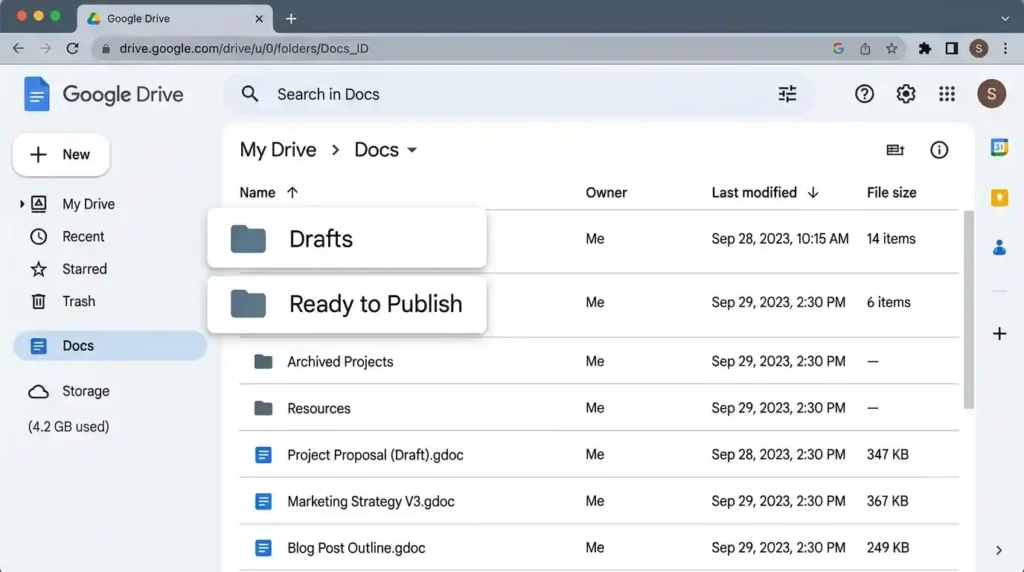
Step 1: Write and finalize in Google Docs
I still write everything in Google Docs. When the post is ready, I add a simple tag at the top: “READY TO PUBLISH” plus the target publish date and any notes for images or categories. This tag is what the automation watches for. No special formatting required beyond normal headings and image placeholders.
Time saved here: none yet, but this becomes the single trigger for everything else.
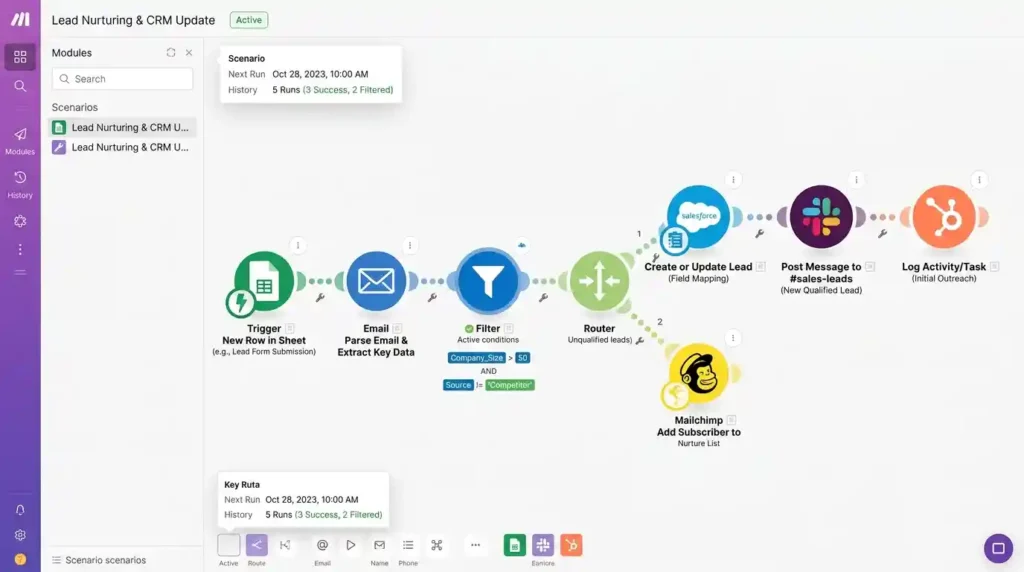
Step 2: Make.com watches the document
I set up a Make.com scenario that checks my Google Docs folder every hour. When it sees a document with the “READY TO PUBLISH” tag, it pulls the full content, title, and any images I’ve already uploaded to Drive. Make.com converts the Google Docs formatting into clean HTML that WordPress understands.
This step used to take me 25–30 minutes of careful copying. Now it takes zero.
Step 3: Create the WordPress draft automatically
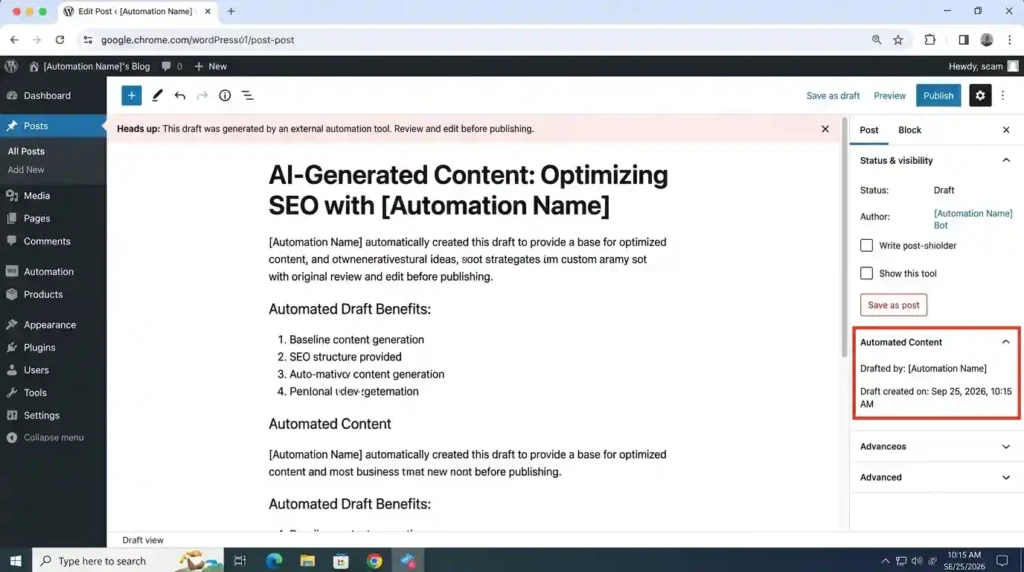
The same Make.com scenario creates a new draft post in WordPress, pastes the content, sets the title, assigns the category and tags I specified in the notes, and uploads the images from Drive. It even sets the featured image if I’ve marked one.
I still open the draft once for a quick visual check (more on that later), but the heavy lifting is done. What used to take half an hour now takes about three minutes of review.
Step 4: Schedule the actual publish
Once I’ve given the draft a final once-over, I change the status or add a simple “APPROVED” note. A second Make.com path sees that change and schedules the post for the date I originally wrote in the document. No more sitting in the WordPress calendar clicking through time zones.
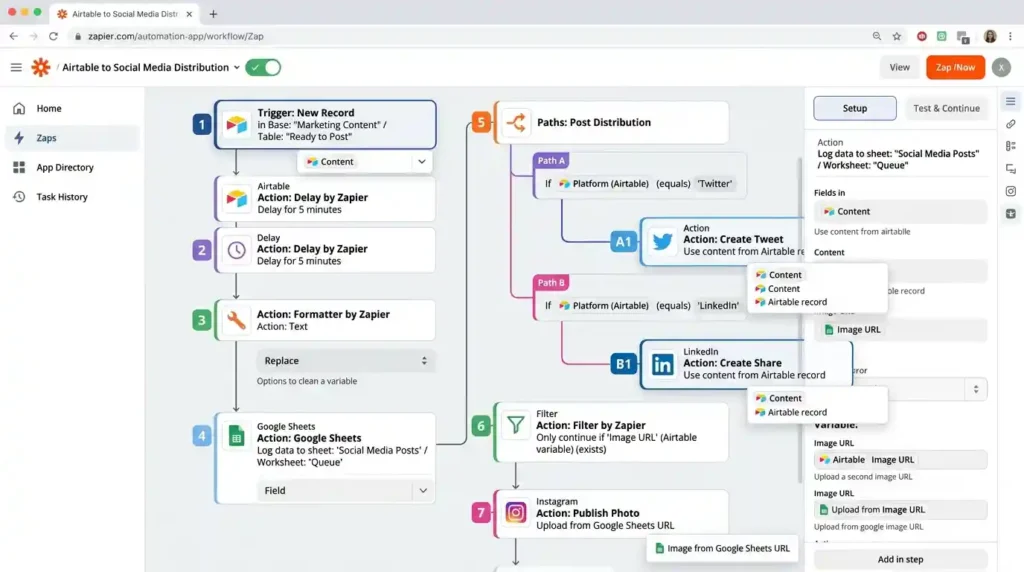
Step 5: Zapier handles the distribution
After the post goes live, Zapier takes over. It creates draft social posts with the title, a short excerpt, and the link. It also adds the post to a simple content log spreadsheet so I can see what’s been published without opening WordPress. I review the social drafts in under five minutes and schedule them.
I could fully automate the social posting, but I prefer a light human check so the captions still sound like me.
Putting it all together
From the moment I type “READY TO PUBLISH” in Google Docs to the moment the post is live and social drafts are waiting, the whole chain now takes 15–20 minutes of my actual attention. The rest happens in the background.
Old way: 2.5 hours of focused work per post.
New way: 15–20 minutes of review and light editing.
That’s the number that changed everything for me.
Takeaway: You don’t need a complicated system on day one. Start with Google Docs → Make.com → WordPress draft. Add the distribution layer only after the first part feels reliable.
What Changed (Results)
The first month after the system was stable, I published four posts without the usual Sunday dread. That alone felt strange in the best way.
Momentum came back quietly. Because the publishing friction disappeared, I stopped delaying finished drafts. Posts went live closer to when I actually finished writing them. Readers noticed the more regular cadence. A few longtime email subscribers even replied saying they were glad I was “back.”
Quality improved for a simple reason: I was less tired. I had energy left for better headlines and cleaner internal links. I also started spending the saved hours on strategy instead of logistics—looking at which topics actually ranked, testing different intro styles, and building simple content upgrades.
Scaling became possible. I went from forcing two posts a month to a comfortable three or four without working longer hours. Search traffic started climbing again because the site was receiving fresh content on a predictable schedule. One older post that I finally published through the new system began ranking on page one within six weeks. That would not have happened if it had sat in drafts for another month.
The biggest shift was mental. Publishing stopped feeling like a second job. It became a short checklist I could finish while my coffee was still warm. I stopped resenting my own blog.
Takeaway: The real win isn’t just the hours saved. It’s the return of creative energy and the quiet confidence that comes from a process you can actually sustain.
Common Mistakes (Mistakes to Avoid)
I made three mistakes that slowed me down. You can skip them.
Mistake 1: Trying to automate everything at once
I initially built a monster scenario that tried to handle writing triggers, image optimization, social posting, and email all in one go. It broke constantly. Fix: Automate one clear path first (Docs to WordPress draft). Make sure it runs cleanly for two weeks. Only then add the next piece.
Mistake 2: Not building in a review step
Early versions published straight to live without me looking. A formatting glitch went public. Fix: Always create a draft first. Give yourself a deliberate five-minute review window before anything goes live. Automation should reduce work, not remove your eyes entirely.
Mistake 3: Not documenting the workflow
Three months in I forgot why certain filters existed and spent an hour reverse-engineering my own setup. Fix: Keep a simple one-page note that lists each step, what triggers it, and where to check if something fails. Future you will be grateful.
Takeaway: Start narrow, keep a human checkpoint, and write down how it works. Those three habits prevent most of the frustration.
Read More : Best AI Writing Tools for Bloggers 2026
FAQ
Will automation hurt the quality of my posts?
Only if you remove yourself completely. I still review every draft for five to ten minutes. The writing quality comes from the time I spend actually writing, not from the mechanical publishing steps. Automation simply stops the mechanical work from draining the energy I need for the creative part.
Could search engines penalize automated publishing?
Search engines care about helpful content and consistent publishing, not about whether a human clicked the “Publish” button. As long as the posts are original, useful, and published on a sensible schedule, the method doesn’t matter. My traffic improved after I became more consistent, not the other way around.
Do I need to know how to code?
No. Both Make.com and Zapier are visual. You connect apps by choosing triggers and actions from menus. If you can follow a recipe, you can build the basic version of this system.
What if I use a different writing tool or platform?
The same logic applies. Most tools can send content somewhere Make.com or Zapier can catch it. The principle is more important than the exact apps: finish the writing in one place, let automation move it to your site as a draft, then do a short human review.
What happens if WordPress updates and something breaks?
It happens occasionally. That’s why I keep the process in two main scenarios instead of one giant one. When something stops working, I only have to fix one section. I also keep a manual backup method in my notes so I’m never completely stuck.
How much does this actually cost?
The free tiers of Make.com and Zapier are enough to test the whole flow. Once I was publishing regularly I moved to paid plans, which still cost far less than the value of the hours I got back. For most solo bloggers the monthly cost is lower than a couple of client coffees.
Final Thoughts
I spent years believing the hard way was the only way. Five hundred hours later I learned that the hard way was just the unexamined way.
You don’t have to keep paying that tax. Start with one finished post this week. Move it from Google Docs to a WordPress draft with Make.com. Feel how light that step becomes. Then build from there.
The goal isn’t to remove yourself from your blog. It’s to stop letting the repetitive parts steal the energy you need for the parts only you can do.
If you’ve been stuck in the same manual loop, you’re not lazy and you’re not bad at this. You’re just overdue for a better system.